> ## Documentation Index
> Fetch the complete documentation index at: https://trigger-v3-fix-additional-files.mintlify.site/llms.txt
> Use this file to discover all available pages before exploring further.
# Supabase Quick Start
> Integrate Supabase with Trigger.dev in minutes.
This quick start guide will get you setup with Trigger.dev and Supabase inside a new Next.js project.
## Preparing Supabase & Next.js
Create an account with Supabase or login if you have one already:
* [Create a new Supabase account](https://supabase.com/dashboard/sign-up)
* [Login to Supabase](https://supabase.com/dashboard/sign-in)
Once on the dashboard, click the 'New project' button to create a new project in Supabase.
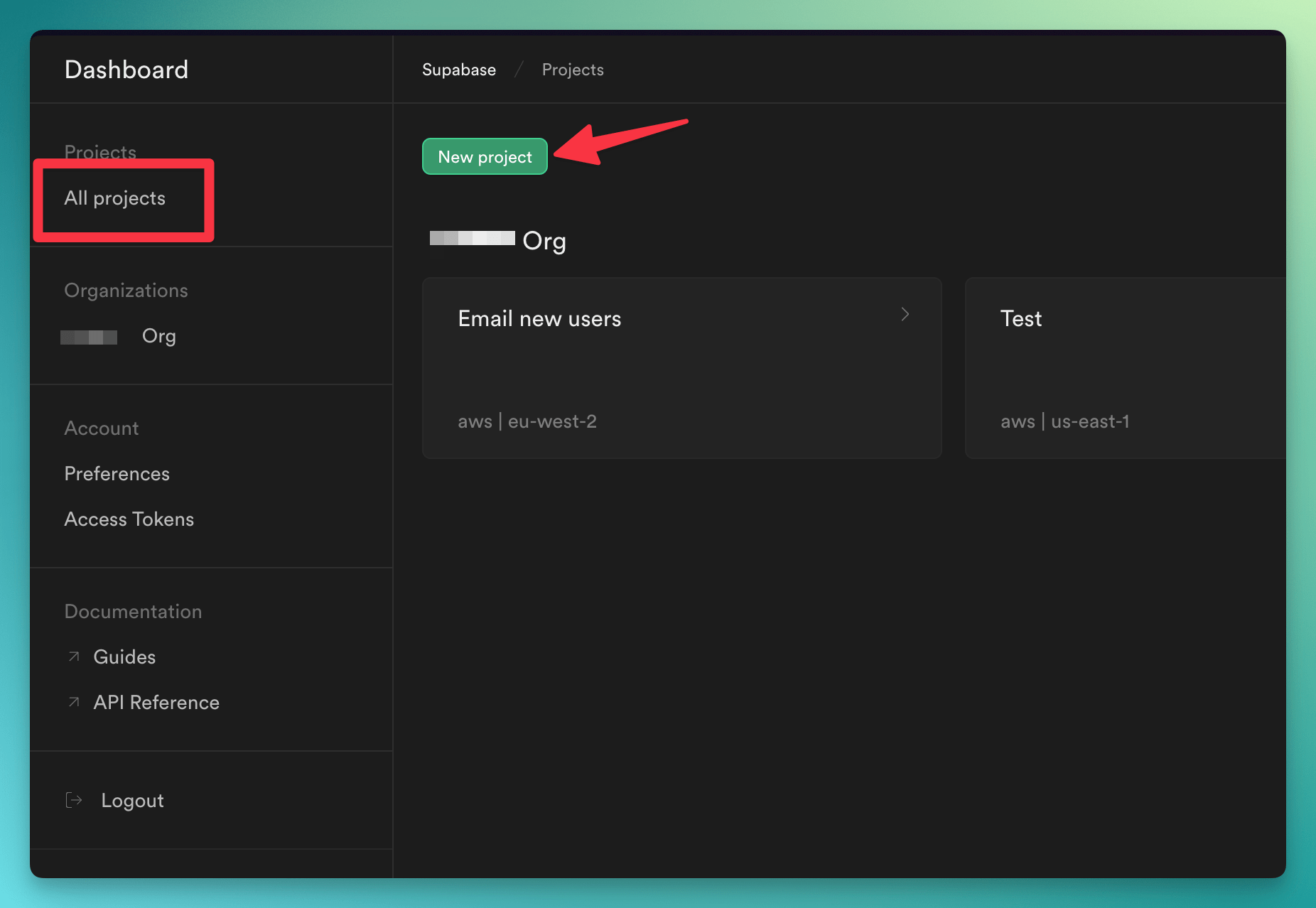
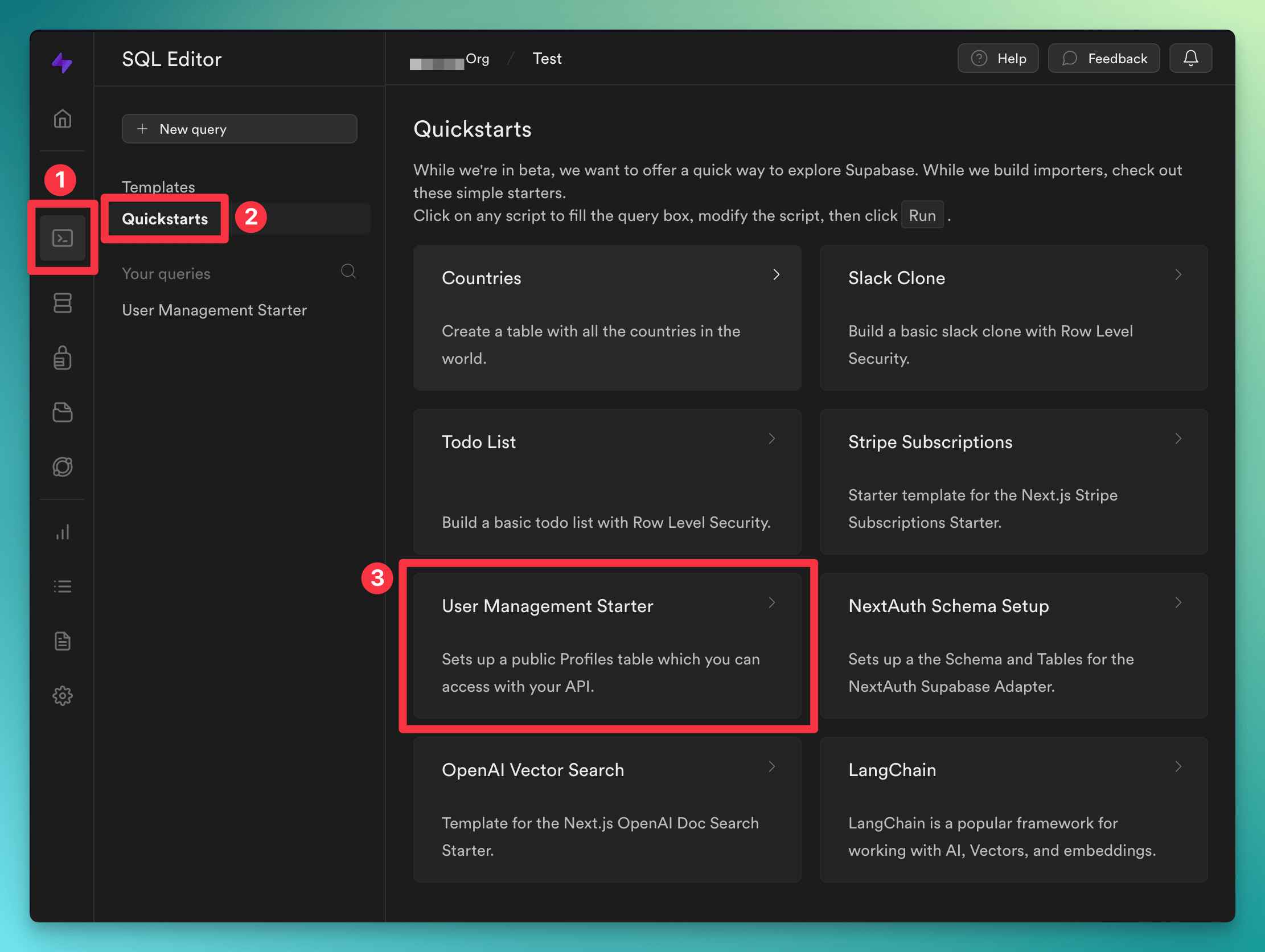
From inside your new project, click the 'SQL Editor' button in the side menu and then click the "User Management Starter" from the Quickstarts menu:
Feel free to choose another starter or use hand-crafted tables, anything will work for purposes of
this quick start
Over in a terminal window, create a new Next.js app with Supabase support:
```bash
npx create-next-app@latest -e with-supabase my-supabase-app
cd my-supabase-app
```
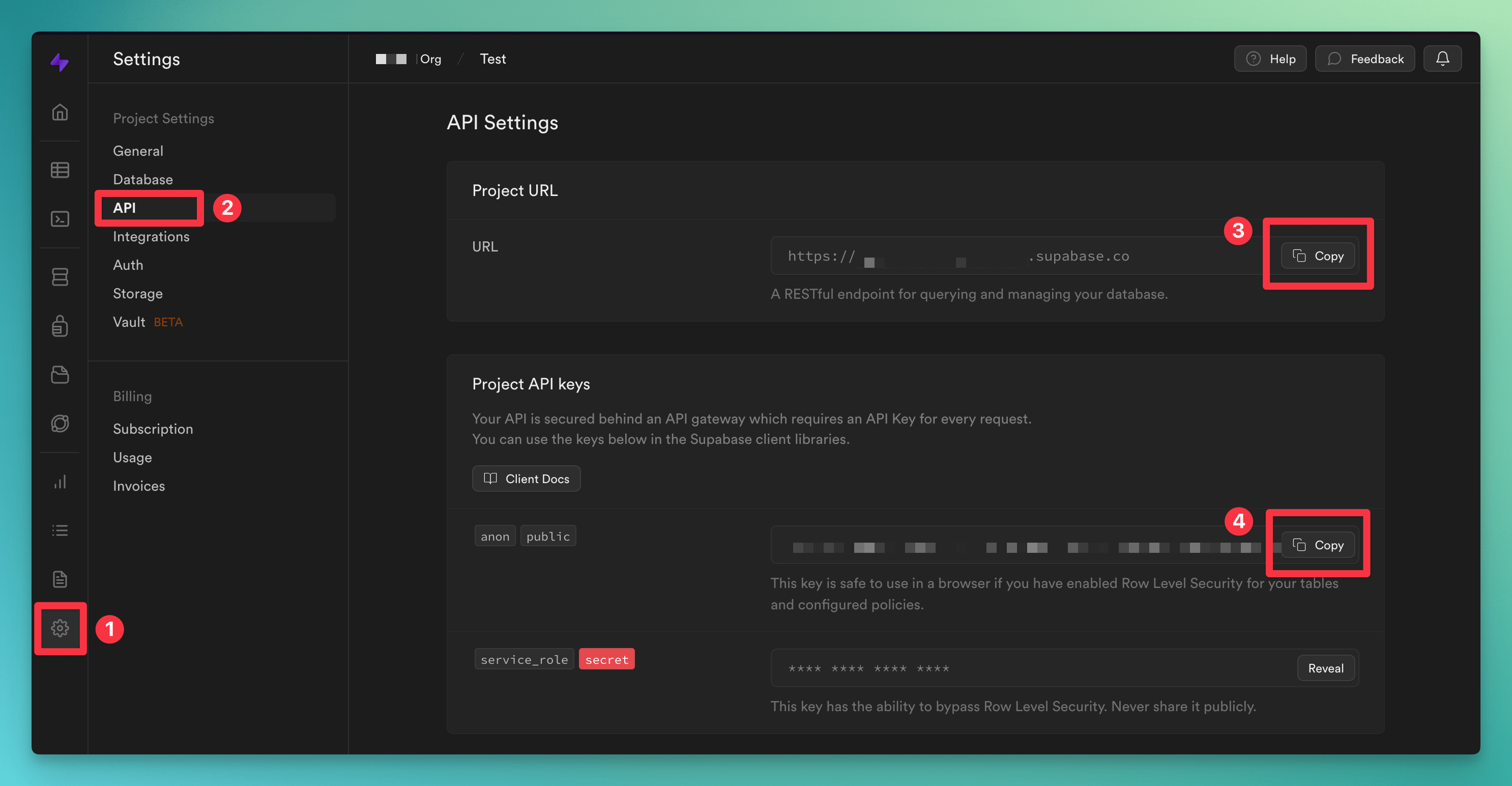
Next, rename the `.env.local.example` file to `.env.local` and add your Supabase URL and public key:
```
NEXT_PUBLIC_SUPABASE_URL=your-project-url
NEXT_PUBLIC_SUPABASE_ANON_KEY=your-anon-key
```
You can find your API keys in Supabase by clicking the cog (⚙️) icon in the left menu and selecting 'API' from the Project Settings menu:
Finally, in the terminal, go ahead and [Generate the Typescript types](https://supabase.com/docs/reference/javascript/typescript-support) now as we'll be using them shortly:
You may need to login to the supabase CLI first. For more info see the [supabase login
docs](https://supabase.com/docs/reference/cli/supabase-login)
```bash
npx supabase gen types typescript --project-id --schema public --schema auth > supabase-types.ts
```
## Setup Trigger.dev
Now it's time to create a Trigger.dev account. You can either:
* Use the [Trigger.dev Cloud](https://cloud.trigger.dev).
* Or [self-host](/documentation/guides/self-hosting) the service.
Once you've created an account, follow the steps in the app to:
1. Complete your account details.
2. Create your first Organization and Project.
Next, initialize Trigger.dev in the project by running this command:
```bash
npx @trigger.dev/cli@latest init
```
Edit the `middleware.ts` file and add the following code to exclude the Trigger.dev endpoint from the Supabase auth middleware:
```ts
// Match all routes other than /api/trigger
export const config = {
matcher: ["/((?!api/trigger).*)"],
};
```
## Add the Supabase Integration
Add the Supabase package to your project by running this command:
```bash
npm add @trigger.dev/supabase
```
Edit the `jobs/examples.ts` file and replace with the following code:
```ts
import { client } from "@/trigger";
import { Database } from "@/supabase-types";
import { SupabaseManagement } from "@trigger.dev/supabase";
// Use OAuth to authenticate with Supabase Management API
const supabaseManagement = new SupabaseManagement({
id: "supabase-management",
});
// Use the types we generated earlier
const db = supabaseManagement.db(process.env.NEXT_PUBLIC_SUPABASE_URL!);
client.defineJob({
id: "supabase-test-job",
name: "My Supabase Test Job",
version: "1.0.0",
trigger: db.onInserted({
schema: "auth",
table: "users",
}),
run: async (payload, io, ctx) => {},
});
```
## Authenticate to the Supabase Management API
The Supabase Triggers use the [Supabase Management API](https://trigger.dev/docs/integrations/apis/supabase/management) to register the triggers in your Supabase projects.
You can authenticate using a Personal Access Token or via the new Supabase Management API OAuth implementation, which we are using in this example.
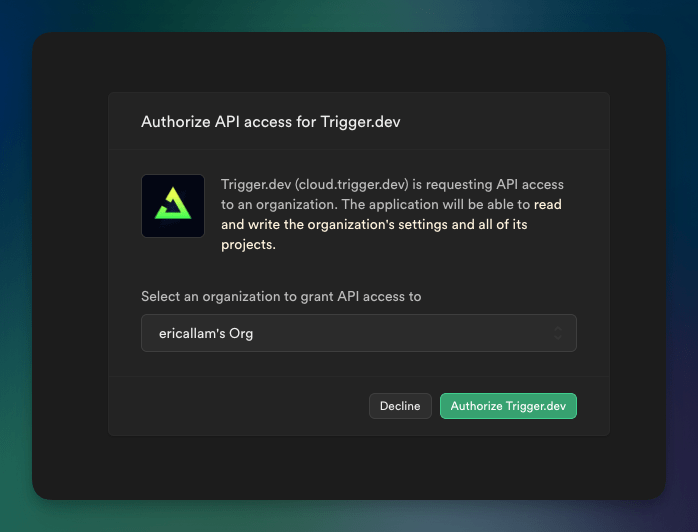
Login to Trigger.dev and navigate to the project "Integrations" page. Select the "Supabase Management" integration and configure it like so:
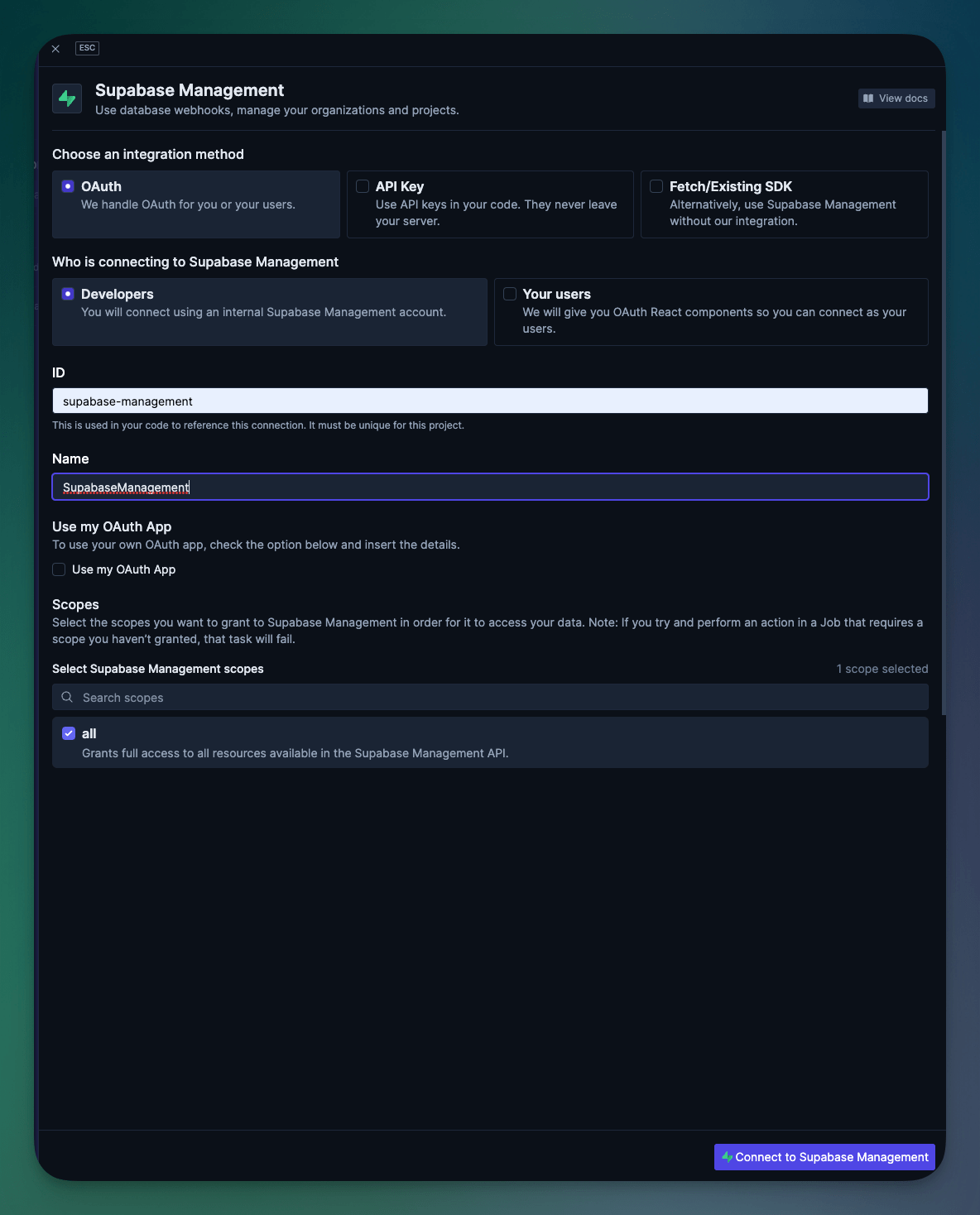
Authorize access to your Supabase project and then you'll be ready to run the Job.
## Run and test the Job
Now you are ready to run the Next.js app and test the Job. Run the following command to start the Next.js app:
```bash
npm run dev
```
And then in a separate terminal, run the following command to start the Trigger.dev agent:
```bash
npx @trigger.dev/cli dev
```
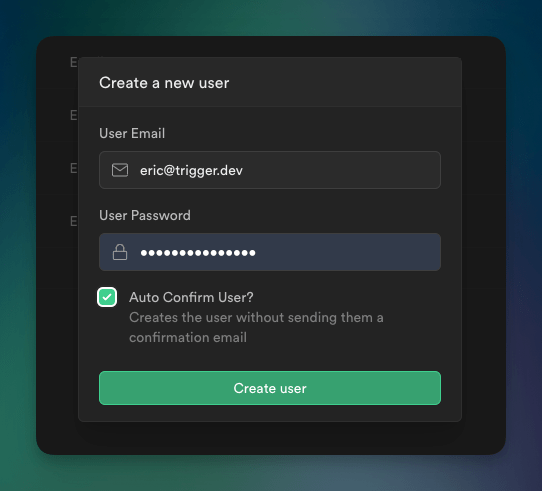
Head back to your Supabase Dashboard -> Auth, and create a new user (keep "Auto Confirm User?" checked)
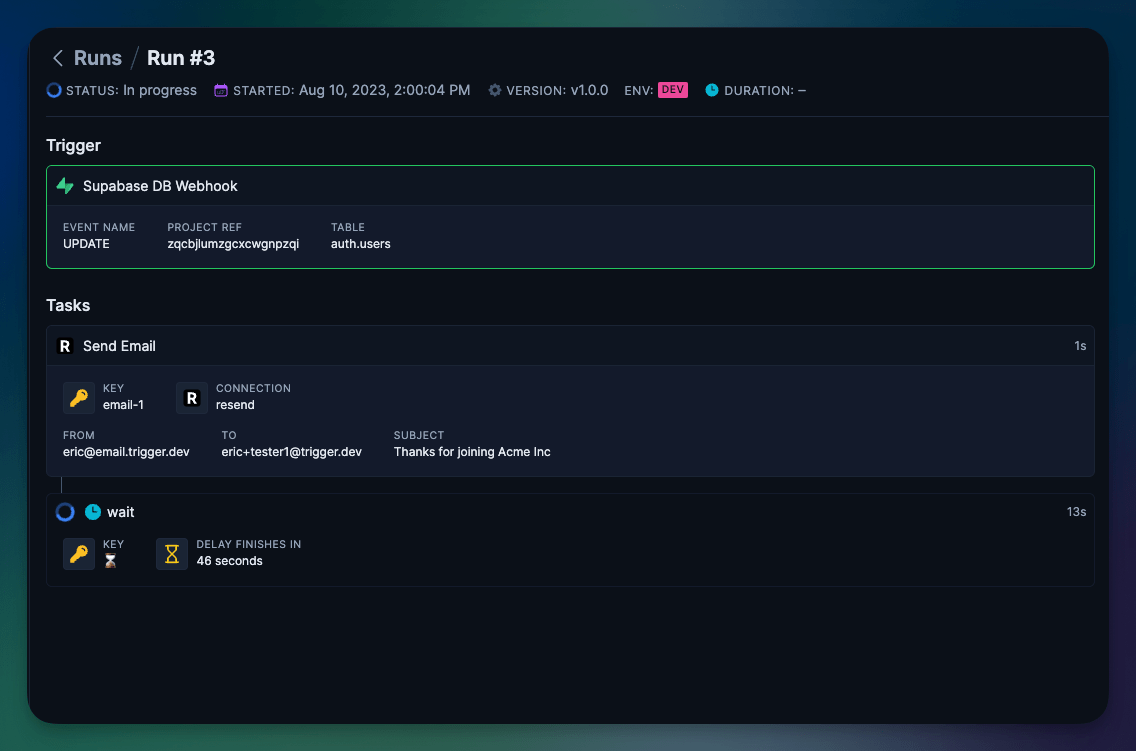
Then navigate over to your Trigger.dev project dashboard and you should see the job running.
## What's next?
Checkout our fully-functioning [Supabase Onboarding Email example](https://github.com/triggerdotdev/examples/tree/main/supabase-onboarding-emails) to learn how to build an email drip campaign in 62 lines of code.
A Guide for how to create your first real Job
Learn more about how Trigger.dev works and how it can help you.
Read more about the Supabase Integration and how it works.
Struggling getting setup or have a question? We're here to help.