

defineHttpEndpoint to receive webhooks, verify them, and create an HTTP Trigger.
Defining an HTTP endpoint
We’ll use Cal.com as an example:verify function is compulsory and is automatically called when a webhook is received. It’s required to return a result from this function – 90% of the time you can use our verifyRequestSignature helper function.
Getting the URL and secret
In our dashboard, you can navigate to the HTTP endpoints page. From there you can select your endpoint and copy the URL (1) and secret (2) for the appropriate Environment.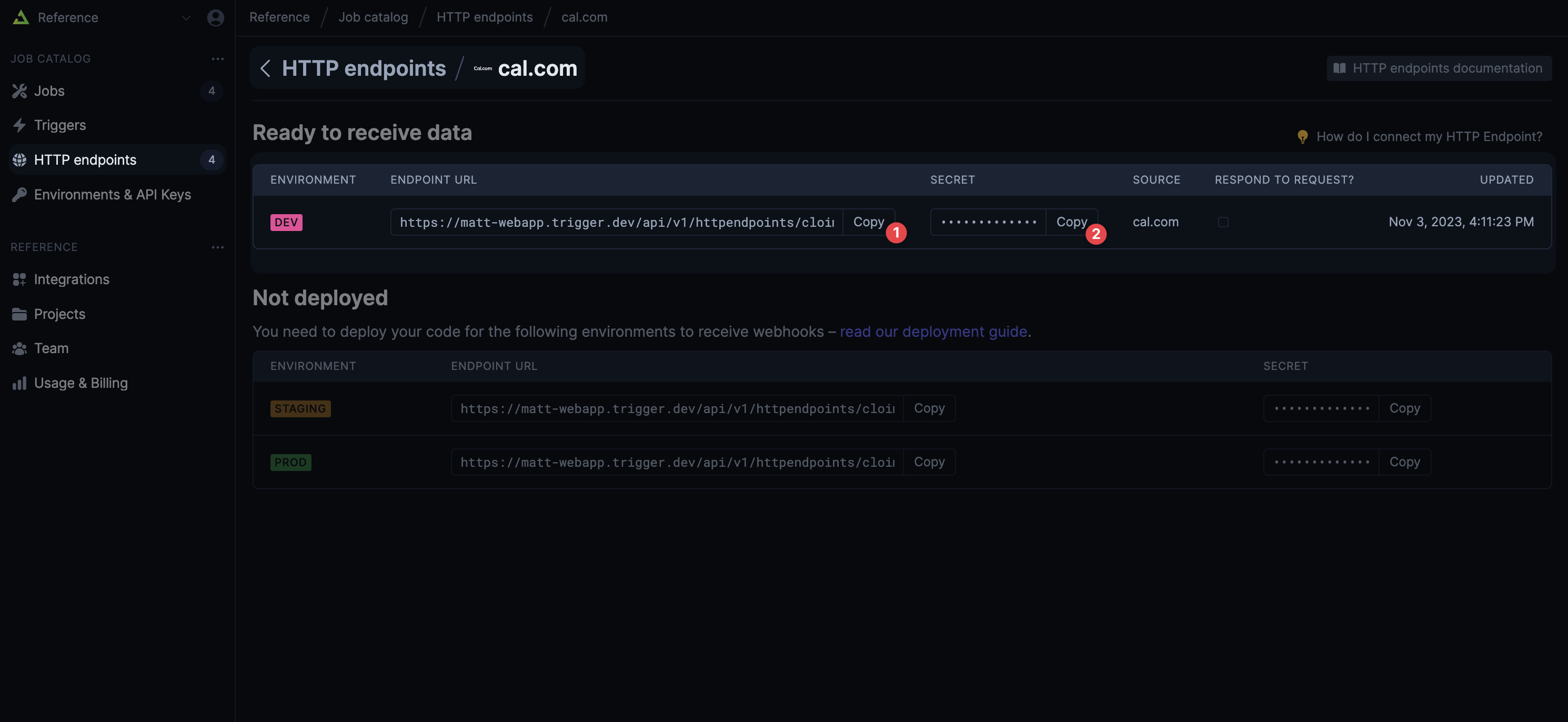 You then need to input these values into the developer section of the API you want to subscribe to. Some APIs, like Stripe’s, don’t require a secret to be entered. Instead they will generate one for you to use.
Saving the secret
You should save the secret and add it to your environment variables. Locally this usually means adding it to your.env file. When you deploy you’ll need to put it in relevant section of your cloud provider’s dashboard. In the code above we’re using CALDOTCOM_SECRET as the environment variable name.
Creating a Trigger
More information
HTTP Trigger
Trigger your Jobs in realtime when events happen in APIs
HTTP endpoint SDK reference
SDK reference for
client.defineHttpEndpoint()